
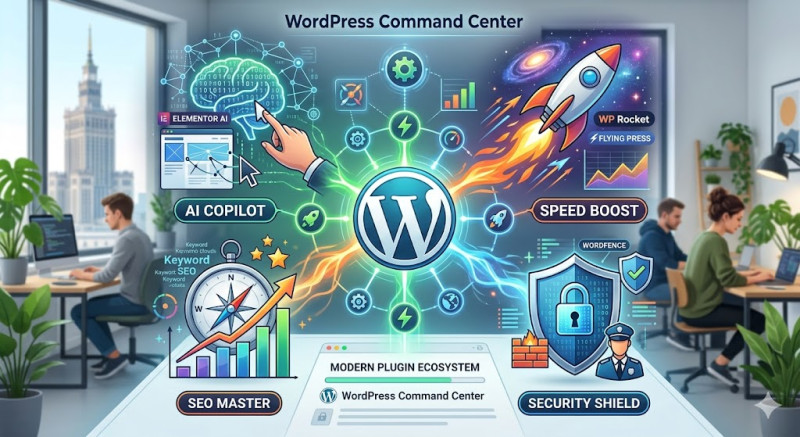
WordPress powers over 43% of the internet, but its true strength doesn't lie in the core software alone—it's driven by its massive plugin ecosystem. Plugins are the magical gears that transform a simple blog into a powerhouse e-commerce store, a secure enterprise platform, or a lightning-fast creative portfolio.
As we navigate the current landscape of the web, the plugin market has shifted dramatically. Today, the undisputed kings of the ecosystem are automation, AI integration (AI Copilots), and ruthless code optimization.
Here is a breakdown of the essential plugins and tool categories that should power every modern website.
1. Next-Gen Page Building: Elementor + AI Copilot & Brizy
Traditional page builders have evolved. You are no longer just dragging and dropping static elements; you are co-creating with an AI assistant directly inside your layout.
-
Elementor (with AI Copilot): The undisputed market leader. Its integrated AI allows you to generate custom page layouts, write compelling copy, and even generate unique images without ever leaving the editing screen. It saves hours of guesswork.
-
Brizy WordPress: If you are looking for pure speed and a lightweight footprint, Brizy is gaining massive traction. It offers an incredibly clean user interface, making it perfect for launching high-converting landing pages without cluttering your database with "bloatware."
2. The SEO Evolution: Rank Math vs. Yoast
For nearly a decade, Yoast SEO was the default choice for search engine optimization. However, modern web developers are increasingly jumping ship to Rank Math SEO.
Why the shift? Rank Math offers features in its free version that competitors lock behind hefty paywalls. It includes a built-in AI content analyzer, advanced Schema Markup configuration, and automatic 404 error tracking. It essentially acts as a personal SEO coach embedded directly into your WordPress dashboard.
3. Speed & Performance: Winning the Core Web Vitals
Google does not forgive slow websites. Its Core Web Vitals metrics penalize sites that make users wait. To keep your bounce rate low and your rankings high, this duo is non-negotiable:
-
WP Rocket: Widely regarded as the best caching plugin on the market. With just a few clicks—and zero coding knowledge—it optimizes JavaScript and CSS, minifies code, and enables Lazy Loading (loading images only when they appear on screen).
-
FlyingPress: A modern, highly efficient alternative that is praised in developer communities for radically boosting real-world loading times and maximizing Google PageSpeed Insights scores.
4. Security & Your Site’s "Insurance Policy"
Your website is a digital asset. Without proper locks on the doors, it will eventually attract automated bots and malicious hackers. Don't rely on basic, outdated solutions. Look into:
-
Wordfence Security: Think of Wordfence as a digital security guard. It features an enterprise-grade web application firewall (WAF) that operates in real-time and a deep malware scanner built specifically for WordPress ecosystems.
-
UpdraftPlus or BlogVault: Remember the golden rule: There are two types of people—those who back up their data, and those who have never lost it yet. These plugins automate backups to secure cloud storage (like Google Drive or Dropbox) before any major system update.
[ Your Website ]
    ├── Performance (WP Rocket / FlyingPress)
    ├── Security (Wordfence)
    ├── SEO Optimization (Rank Math)
    └── Content & Design (Elementor AI / Brizy)
The Golden Rule: Less is More
A common trap for beginners is installing a separate plugin for every minor feature they want. This is a critical mistake that slows down your server, causes plugin conflicts, and creates security vulnerabilities.
Best Practice: Stick to the rule of "one function = one plugin." Conduct a digital audit once a quarter—deactivate and completely delete the tools you no longer use. A well-optimized, modern WordPress site rarely needs more than 15 to 20 stable, regularly updated plugins to thrive.