
The Hidden Cost of Retained Trash
When you delete a post, page, comment, or media asset in WordPress, the platform doesn't immediately erase it from your server. Instead, it moves the item to a temporary holding area known as the Trash. By default, WordPress retains these deleted items in your database for 30 days before permanently purging them. During this month-long window, all corresponding revisions, metadata rows, and asset relationships remain active in your database.
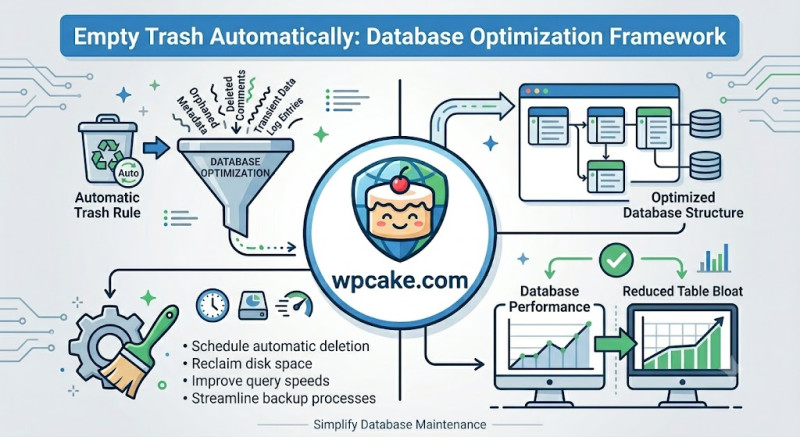
For high-volume websites, community forums, or e-commerce stores processing hundreds of orders and comments daily, this default window can quickly bloat your database. A bloated database leads to slower query responses, increased backup file sizes, and general performance slowdowns.
The Empty Trash Automatically plugin addresses this by allowing you to easily adjust and shorten the retention window, keeping your database lean and performant.
Configuring Your Automated Cleanup Schedule
-
Activation Phase: From your dashboard, navigate to Plugins > Add New, look up "Empty Trash Automatically", install, and activate the module.
-
Opening the Configuration panel: Navigate to Settings > Trash Management.
-
Setting Your Retention Window: Locate the input field labeled Trash Retention Days.
-
To optimize performance, change the value from the default 30 days down to a shorter window, such as
3or5days. -
If you prefer to skip the trash holding area entirely and delete items instantly, set the value to
0. (Use caution with this setting, as it makes deletions permanent).
-
-
Enforcing Global Sweeps: Check the box labeled Apply rules to comments and attachments to ensure spam comments and unattached media files are cleaned up on the same schedule. Click Save Changes.
Long-Term Database Benefits
Once active, the plugin hooks into the WordPress cron system (wp-cron.php) to run a daily cleanup in the background. It safely removes expired items from your database without requiring manual optimization scripts. Over time, keeping your database lean leads to faster page load times and smaller backup files, ensuring a smooth, reliable experience for your visitors.