
Slow websites are conversion killers. If your WordPress site takes more than three seconds to load, you aren’t just annoying your visitors—you are actively driving them into the arms of your competitors. Google also penalizes sluggish sites, meaning a slow load time directly damages your SEO rankings.
When most people realize their site is slow, they panic. They start looking into complex coding tutorials, expensive hosting upgrades, or messy database configurations.
But what if you don't need a degree in computer science to fix it? What if you could drastically cut your loading times in less than 5 minutes using just one single, game-changing trick?
Here is the ultimate shortcut to a blazing-fast WordPress site.
The Real Culprit Behind Your Slow Website
Before we reveal the trick, we need to understand the problem. Nine times out of ten, a slow WordPress site is caused by one massive bottleneck: unoptimized, bloated images.
Modern smartphones and stock photography websites provide stunning, high-resolution images. However, uploading a raw $5\text{ MB}$ photo directly to your blog is like forcing your server to carry a boulder. Every single time a user visits your page, their browser has to download that massive file. Multiply that by 5 or 10 images per post, and your page speed crawls to a halt.
Optimizing your media library manually is a nightmare. This is where our 5-minute trick comes into play.
The 5-Minute Solution: Cloud-Based Image Optimization & Next-Gen Formats
The single most effective trick to instantly boost your WordPress speed is automating image compression and converting your media library to WebP format.
WebP is a next-generation image format created by Google. It provides superior lossless and lossy compression for images on the web, making your photos up to 30% smaller than traditional JPEGs or PNGs—without any visible loss in quality.
Here is exactly how to do it in 5 minutes flat:
Step 1: Run a Baseline Test (Time: 1 Minute)
Before making any changes, go to Google PageSpeed Insights or GTmetrix. Paste your website URL and run a quick test. Note down your current loading speed and performance score so you can see the before-and-after magic.
Step 2: Install a Specialized Optimization Plugin (Time: 1 Minute)
Log into your WordPress dashboard, navigate to Plugins > Add New, and search for a highly rated, automated image optimizer. Excellent free options include:
-
LiteSpeed Cache (Phenomenal if your host uses LiteSpeed servers)
-
Imagify
-
Smush
-
EWWW Image Optimizer
Install and activate your chosen plugin.
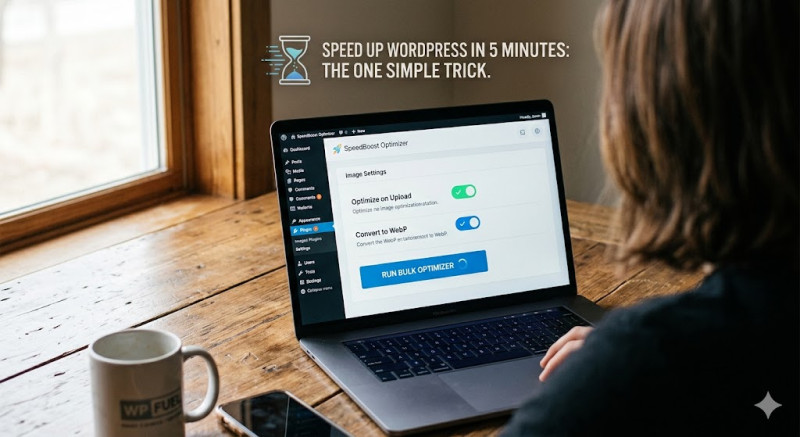
Step 3: Enable WebP Conversion & Auto-Optimize (Time: 2 Minutes)
Go to the plugin’s settings page. Look for two crucial toggles:
-
Optimization on Upload: Turn this ON. This ensures any image you upload in the future is automatically resized and compressed behind the scenes.
-
Convert to WebP: Check this box. This instructs the plugin to automatically serve light, next-gen WebP images to your users' browsers instead of heavy JPEGs.
Step 4: Run a Bulk Optimization (Time: 1 Minute)
If you already have a lot of pictures on your site, find the "Bulk Optimizer" button within the plugin settings and click it. The plugin will start working in the background, compressing your existing library.
The Result: A Faster, Sleeker Website
Once the 5 minutes are up, clear your WordPress cache and re-run your speed test on PageSpeed Insights.
You will likely see your loading times drop by seconds, and your performance scores jump significantly. By shrinking the digital weight of your website, you've instantly reduced server load, improved user experience, and given your SEO a massive head start.
Pro-Tip: While this image trick delivers the biggest immediate speed boost, you can maximize your results by ensuring you also have a basic caching plugin (like WP Super Cache) active.
Don't let a slow website ruin your hard work. Take 5 minutes out of your day, optimize your images, and watch your WordPress site transform into a speed machine!