
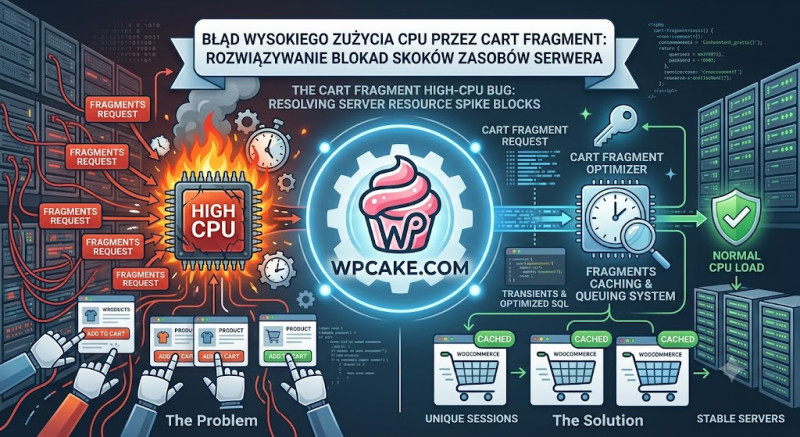
You notice that your web hosting provider regularly sends you alerts about extreme CPU spikes, or your site occasionally crashes with a 508 Resource Limit Reached warning. When analyzing your access logs, you see thousands of rapid background requests hitting an admin-ajax endpoint: /?wc-ajax=get_refreshed_fragments. Even worse, this server slowdown happens when there are relatively few active shoppers on your site.
This critical performance issue is known as the WooCommerce Cart Fragments High-CPU bug. By default, WooCommerce runs an AJAX query on every single page visit across your entire site to check if the items in the user's shopping cart have changed. If a visitor opens multiple blog posts in separate tabs, or if search engine bots crawl your store without ignoring AJAX scripts, your server is forced to run intensive PHP operations and database queries continuously, quickly exhausting your hosting account's resource limits.
The Solution
The most effective way to resolve this performance bottleneck is to selectively disable cart fragments on pages that do not require dynamic cart updates.
-
Dequeue Fragments Script on Static Layouts: Add this code snippet to your child theme's
functions.phpfile to completely disable the resource-heavy fragments script on standard blog posts and static pages, while keeping it active on your actual shop pages:
add_action('wp_enqueue_scripts', 'optimize_wc_cart_fragments', 99);
function optimize_wc_cart_fragments() {
    if (function_exists('is_woocommerce') && !is_woocommerce() && !is_cart() && !is_checkout()) {
        wp_dequeue_script('wc-cart-fragments');
    }
}
-
Switch to LocalStorage Optimization: Utilize a modern performance plugin (such as Perfmatters or Flying Press) that caches cart data inside the user's browser
localStoragearea, completely bypassing server-side database calls until an item is actually added to the cart. -
Block Bots from Tracking AJAX Endpoints: Open your site's
robots.txtconfiguration file and add an explicit rule to block search engine web crawlers from wasting server resources on your store's dynamic backend endpoints:PlaintextDisallow: /*wc-ajax=get_refreshed_fragments