
Launching a WooCommerce store is an exciting entrepreneurial milestone, but because the platform is highly accessible, it is easy for beginners to fall into common technical and strategic traps. These mistakes can hurt user experience, reduce sales, and even lead to severe data loss. By recognizing these common pitfalls early on, you can save yourself countless hours of frustration, protect your hard-earned reputation, and build a more profitable online business from day one.
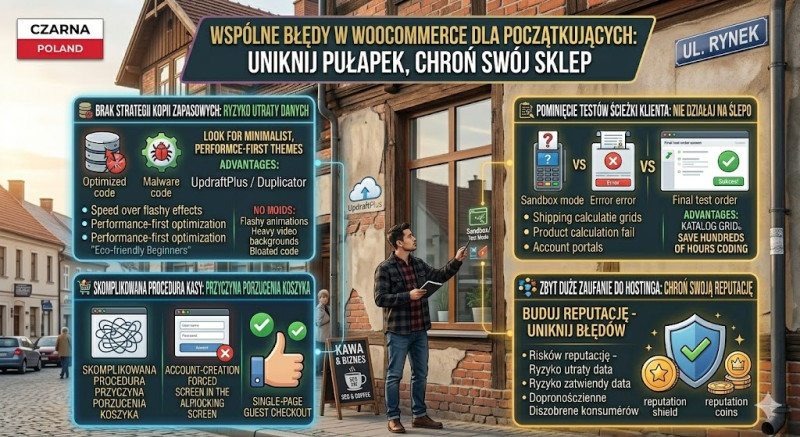
The first major mistake is completely neglecting a robust website backup strategy. Many beginners assume that their web hosting provider automatically backs up everything perfectly. However, if a plugin update goes wrong, your database corrupts, or your site gets compromised by malware, you could lose your entire product catalog and customer order history instantly. To avoid this catastrophe, take control of your own backups. Install a free plugin like UpdraftPlus or Duplicator and schedule automated daily backups that save your files externally to a secure cloud platform like Google Drive.
The second pitfall is overcomplicating the checkout process. Every single obstacle or extra step you place between a customer and the final payment button increases the likelihood of cart abandonment. Forcing users to fill out long, irrelevant forms or, worse, requiring them to create a permanent account just to purchase a simple item will drive them straight to your competitors. To fix this, go to your WooCommerce settings and enable "Guest Checkout." Keep your checkout fields to an absolute minimum—only ask for the information strictly necessary to process and ship the order.
The third mistake is forgetting to test the complete user journey from start to finish. It is surprisingly common for store owners to design a beautiful site, assume everything works flawlessly, and launch without placing a single test order. They later discover that a payment gateway configuration error or a shipping zone miscalculation was preventing customers from buying. Avoid this by switching your payment gateway (like Stripe or PayPal) into "Sandbox/Test Mode." Walk through your shop as a regular customer: add a product to the cart, apply a coupon code, fill out the shipping info, and complete the test transaction. This guarantees a seamless experience for your real buyers.