
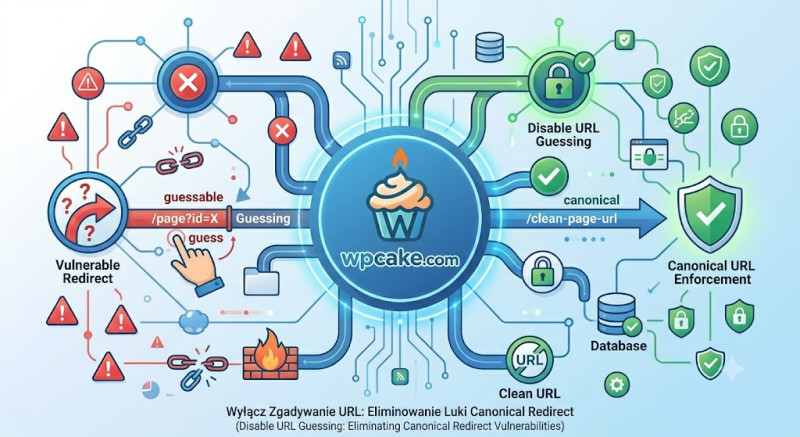
The Hidden Mechanics of URL Guessing
WordPress features a built-in behavior known as canonical URL guessing. When a visitor or an automated bot requests a URL that results in a 404 error, the WordPress core attempts to resolve the error rather than immediately serving a 404 template. It analyzes the string, scans the database for posts with similar slugs, and redirects the user if it finds a close match. For example, if a user types [domain.com/product-new](https://domain.com/product-new) and that page does not exist, but [domain.com/product](https://domain.com/product) does, WordPress automatically triggers a 301 redirect to the existing page.
While this sounds like a user-friendly feature, it introduces notable drawbacks. From an SEO perspective, it masks structural crawling errors, causing search engine bots to follow unexpected redirects rather than reporting broken links that require manual fixes. From a security perspective, it allows malicious scanners to systematically probe and guess hidden content or old page architectures by monitoring how your server handles partial slugs.
The Disable URL Guessing plugin turns off this automated matching feature, forcing WordPress to handle broken URLs properly and securely.
Step-by-Step Security Hardening
-
Installation Pipeline: Log into your WordPress administration interface. Navigate to Plugins > Add New. In the search bar, type "Disable URL Guessing". Click Install Now, and once fully downloaded, select Activate.
-
Dashboard Verification: The plugin operates as a silent utility framework. It hooks directly into the
redirect_canonicalfilter to block the guessing mechanism, meaning it does not clutter your dashboard with an extra settings page. -
Testing Implementation: To confirm the plugin is actively working, open an Incognito window in your browser. Type a partial URL that you know previously triggered a redirect (e.g., a broken variation of a popular post slug). If the plugin is working correctly, the server will skip the guessing phase and immediately display your theme’s native 404 Error page.
Technical Benefits for Site Performance
By disabling this feature, you remove a series of complex database string queries that run every time a broken link is accessed. When your site experiences a surge in broken requests from malicious scrapers, your server can serve a lightweight, cached 404 template instead of straining your database with complex keyword searches. This simple update improves site security, gives you cleaner SEO reports, and saves valuable server resources.