
Operating an e-commerce website means you are handling sensitive consumer data every day, including names, home addresses, email accounts, and purchasing histories. If your website is compromised, it damages your brand’s reputation and exposes you to severe legal and financial liabilities. Because WooCommerce is built on WordPress, its immense popularity makes it a frequent target for malicious hackers and automated bots. Fortunately, securing your WooCommerce store does not require a degree in computer science; it just requires a proactive approach.
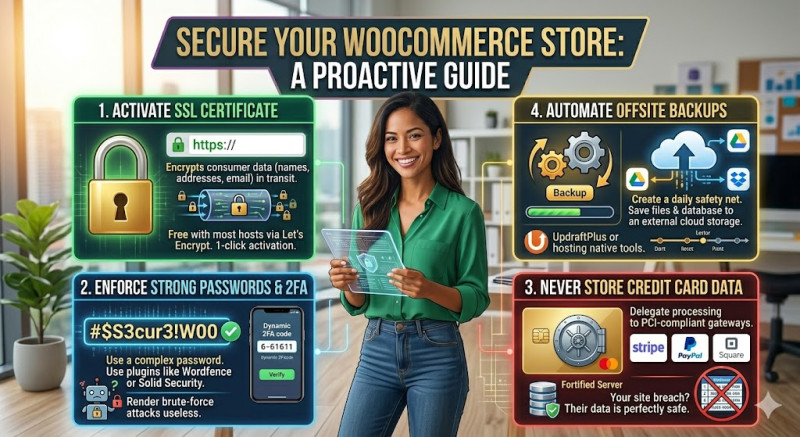
The very first layer of security is an SSL (Secure Sockets Layer) certificate. An SSL certificate encrypts the data moving between your customer’s web browser and your online store's server. This prevents cybercriminals from intercepting sensitive information during transit. You can instantly recognize a secured site by the padlock icon in the browser address bar and the https:// prefix. Most reputable modern web hosting providers offer high-quality SSL certificates for free via Let's Encrypt, and activating it takes only a couple of clicks.
Secondly, you must be extremely strict about password policies and administrator access. Hackers frequently use automated brute-force attacks to guess weak passwords and gain access to the WordPress dashboard. Ensure that every user with access to your backend uses a complex password. More importantly, install a security plugin such as Wordfence or Solid Security to implement Two-Factor Authentication (2FA). With 2FA enabled, logging in requires both the standard password and a dynamic code sent to a mobile device, rendering brute-force attacks useless.
Another vital rule of e-commerce security is to never store credit card numbers on your website’s database. Instead, always delegate payment processing to established, PCI-compliant payment gateways like Stripe, PayPal, or Square. These companies handle financial information on their highly fortified servers, ensuring that even if your WordPress site is somehow breached, your customers' credit card data remains perfectly safe.
Finally, make automated backups your ultimate safety net. No security system is completely impenetrable. In a worst-case scenario where your site is hacked or accidentally corrupted during a routine update, having a recent backup is life-saving. Use plugins like UpdraftPlus or your hosting provider's native backup tools to automatically save daily copies of your database and files to an external cloud storage space like Google Drive or Dropbox.